Scan a document, then fax it from your phone
ScannerFlow makes the clean scan; a fax app sends it. Capture any page into a sharp PDF here, then send it as a real fax with FaxFlow, our companion fax app — no fax machine, no fax line.
Free to download · Android · Free to try
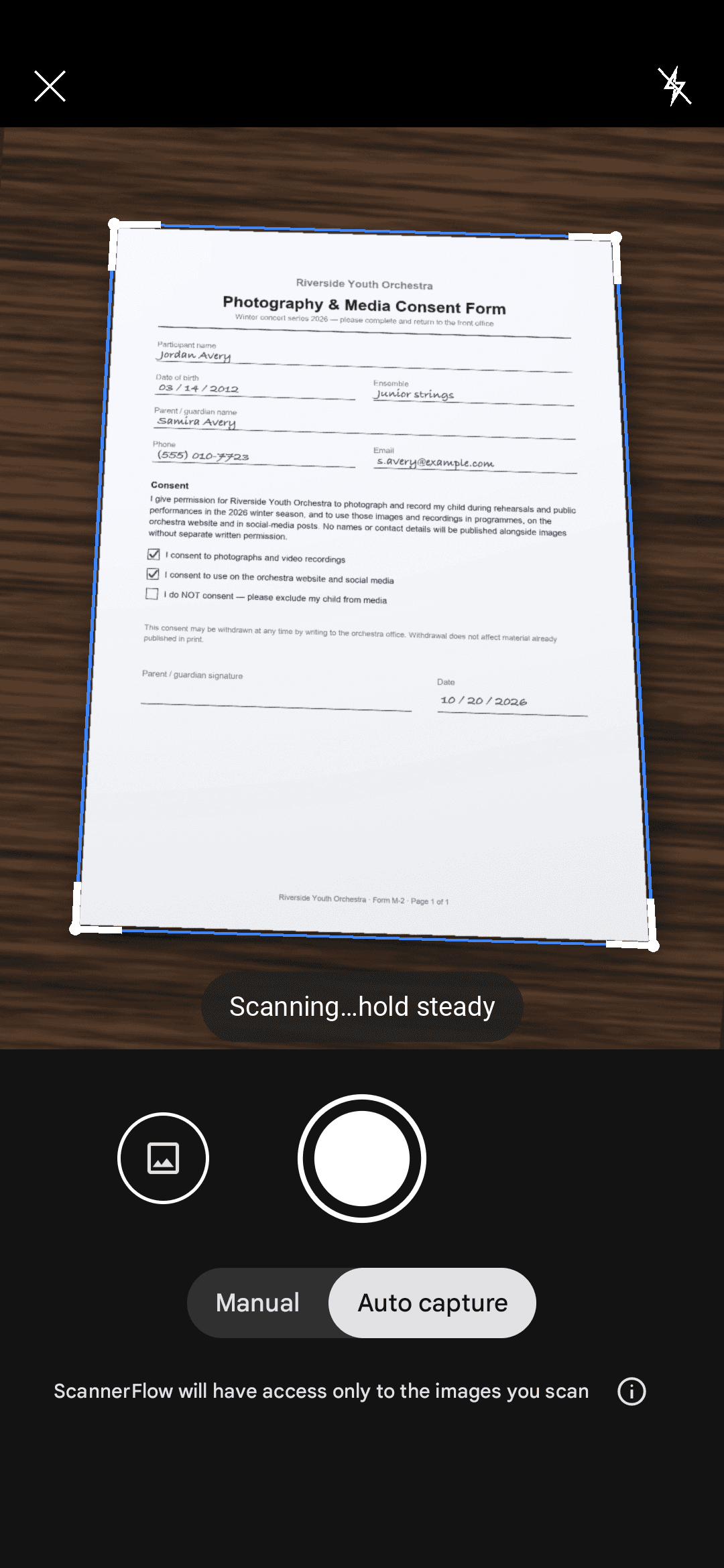
The workflow
Scan to fax in four steps
Two apps, one quick flow: ScannerFlow captures a clean PDF, FaxFlow transmits it. Everything happens on your phone.
- 1
Scan the document with ScannerFlow
Open ScannerFlow, tap scan, and capture each page. Auto-crop straightens the perspective and the enhancement filter makes the text crisp — so the page reads like a flatbed scan, not a phone photo.
- 2
Save it as a clean PDF
Stack multiple pages into one file, reorder them, then export a sharp, multi-page PDF. A clean, high-contrast PDF is exactly what a fax machine on the other end needs to come through legibly.
- 3
Open FaxFlow and attach the PDF
Switch to FaxFlow — our companion fax app — and start a new fax. Attach the PDF you just scanned, and add a cover sheet if the recipient expects one.
- 4
Enter the number and send with confirmation
Type the destination fax number, send, and get a delivery confirmation when it goes through. No fax machine, no fax line, no trip to a print shop.
Why scan first
A clean scan is a fax that arrives readable
Faxes are low-resolution and unforgiving of shadows and skew. Scanning before you fax fixes that at the source.
Straight, cropped pages
Auto edge detection squares up every page, so nothing gets cut off or sent at an angle on the receiving machine.
High-contrast text
The black-and-white filter darkens text and drops the background — ideal for the limited tones a fax can carry.
One tidy PDF
Combine every page into a single multi-page PDF so your fax goes out as one clean job, in order.
Everything you need to fax it
Fax guides & free tools on FaxFlow
Once your scan is ready, these FaxFlow pages cover the rest — how to send, what number to use, and the cover sheet.
Send a fax online
Attach your scanned PDF and send it from any device. See how to send a fax online.
Free cover sheet
Build one with FaxFlow’s free fax cover sheet generator and fax it with your scan.
Find a fax number
Look one up in the US fax number directory.
Faxing IRS forms
Scan your tax form, then check the IRS fax number guides or the open IRS fax numbers dataset.
What faxing costs
Compare the cost to fax at stores vs. sending from your phone.
Scan-and-fax FAQ
Can ScannerFlow send a fax?
ScannerFlow is a document scanner — it turns paper into clean, shareable PDFs. To actually transmit that PDF as a fax, pair it with a fax app. We build a companion app, FaxFlow, that sends faxes from your phone; scan in ScannerFlow, then send in FaxFlow.
How do I fax a scanned document from my phone?
Scan the pages in ScannerFlow and export a PDF, then open FaxFlow, attach that PDF, enter the recipient fax number, and send. The whole flow happens on your phone with no fax machine required.
What makes a good document to fax?
High contrast and straight pages. ScannerFlow’s black-and-white enhancement filter and auto-crop produce exactly that, which helps your fax arrive clean and readable instead of grey or skewed.
Do I need a cover sheet?
Often, yes — especially for business, legal, or government faxes routed by hand. You can build one with FaxFlow’s free fax cover sheet generator, then fax it together with your scanned PDF.
Is faxing from a phone secure?
ScannerFlow captures the page on your phone and backs it up to encrypted cloud storage, and FaxFlow transmits over the phone network rather than ordinary email. Always confirm the recipient fax number before you send sensitive documents.
Start with a clean scan
Download ScannerFlow to capture your document as a sharp PDF, then send it as a fax with FaxFlow.