Scan handwritten notes to PDF on Android, with OCR.
Lecture notes, journal pages, meeting scribbles, whiteboard jottings — scan them into clean PDFs and let AI OCR turn your handwriting into editable, searchable text. Find any note in seconds instead of paging through a notebook.
Free to download · Android · Free to try
Why digitize your notes
Paper notes are stuck on paper
You can't search a notebook, back it up, or paste from it. Scanning your handwriting — and running OCR over it — turns a stack of pages into a searchable, shareable archive.
Students
Digitize lecture and lab notes so you can search them at exam time and keep a backup if a notebook goes missing.
Meetings & ideas
Capture a page of meeting notes or a whiteboard sketch, OCR the action items, and paste them straight into a task list.
Journals & drafts
Turn handwritten drafts into editable text you can refine on a keyboard, while keeping the original page as a scan.
What to capture in your notes
Frame the whole written area so no lines run off the edge, keep the page flat and shadow-free, and make sure the ink-to-paper contrast is strong. Dark ink on light paper gives the cleanest handwriting OCR; faint pencil on cream paper is the toughest.
Step by step
How to scan handwritten notes with ScannerFlow
- 1
Lay the page flat in even light
Smooth out any curl and light the page evenly so no shadow falls across your writing — shadows are what trip up handwriting OCR.
- 2
Capture the page
Hold the phone parallel to the paper. ScannerFlow detects the edges, auto-crops, and straightens the page for you.
- 3
Boost contrast, then run OCR
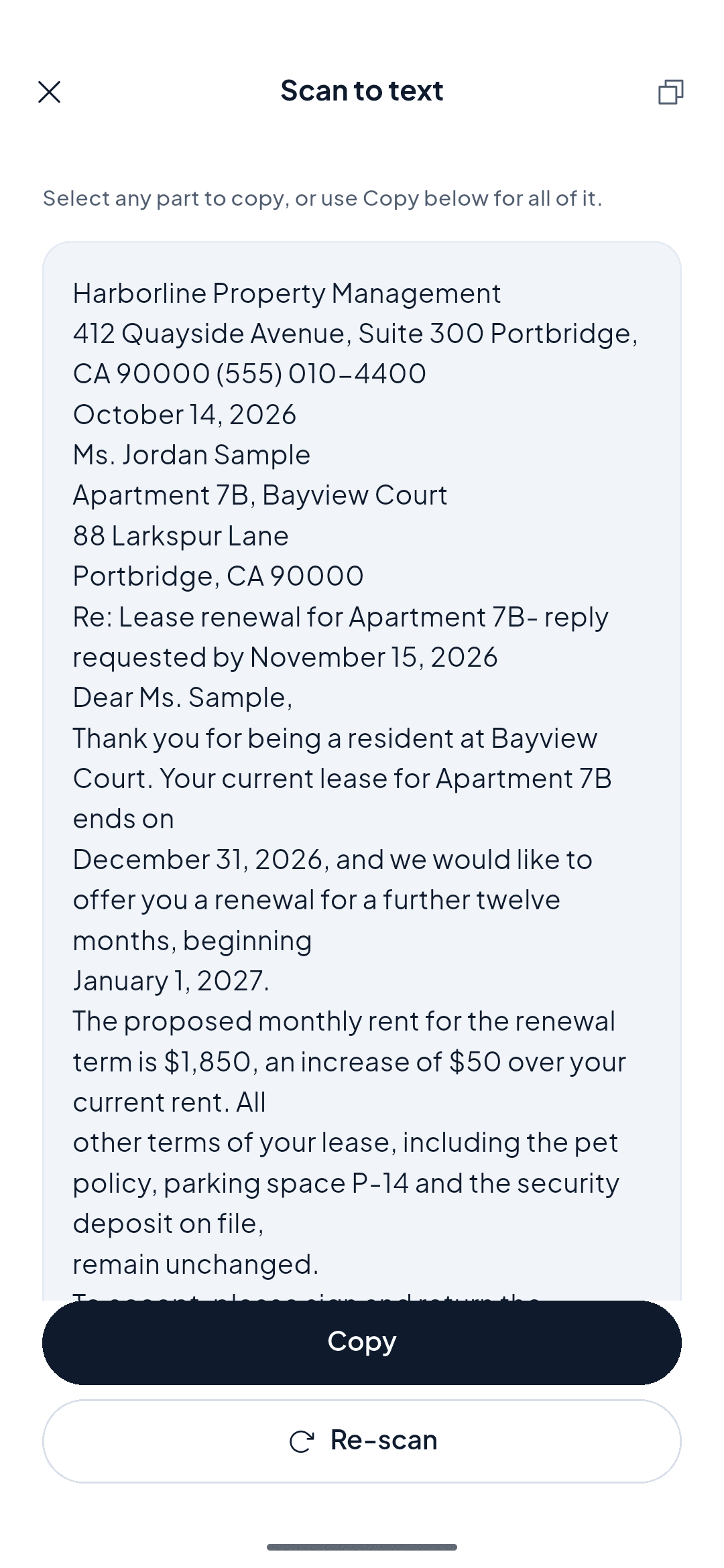
Use auto-enhance to deepen the ink against the paper, then run OCR to convert your handwriting into editable, searchable text.
- 4
Add more pages and save
Keep adding pages into one multi-page PDF, then save and share to notes, email, or Drive — searchable from anywhere.
An honest note on accuracy
How accurate is handwriting OCR, really?
Handwriting OCR is genuinely useful, but it is not magic — and it is worth being honest about its limits. Neat, printed handwriting converts the most accurately. Tidy cursive usually works, but joined-up or slanted script is harder, and very messy, overlapping, or faint-pencil writing is the toughest case and will need cleanup. Contrast matters as much as neatness: dark ink on light paper, in even light with no shadow, gives the recognizer its best shot. Expect to proofread the extracted text on busy pages — even when the recognition is wrong, the scanned image stays perfectly readable as a searchable PDF.
How it compares
ScannerFlow vs Google Keep and PenToPrint
A quick, factual look at how ScannerFlow stacks up against two common ways people digitize handwriting on Android.
| Feature | ScannerFlow | Google Keep | PenToPrint |
|---|---|---|---|
| Scan handwriting to text | Yes — on-device OCR. | Yes — "grab image text" on a photo. | Yes — built specifically for handwriting. |
| Export a searchable multi-page PDF | Yes — multi-page PDF export. | Limited — notes, not document PDFs. | Export to text and documents. |
| Edge detection & auto-crop | Yes — document scanner with auto-crop. | No — plain photo capture. | Basic capture, not a full scanner. |
| Also a full document scanner | Yes — receipts, IDs, books, contracts. | No — a note-taking app. | No — focused on handwriting. |
| AI chat with your scans | Yes — ask questions and summarize. | No. | No. |
Why ScannerFlow
AI OCR built for handwriting
Reads your handwriting
AI-powered OCR converts clear handwriting and printing into editable text, so your notes become words you can copy and edit.
Searchable in seconds
Once your notes are text, search a single word to jump to the exact page — no more flipping through a whole notebook.
Contrast that lifts faint ink
Auto-enhance deepens pencil and pen against the paper, giving the OCR a cleaner image and you a more readable scan.
Whole notebook, one file
Combine pages into a single multi-page PDF so a full section of notes stays together and backed up.
Pro tips
Get the best handwriting OCR
Use dark ink on light paper
High contrast is everything for handwriting OCR. A black or blue pen on white paper reads far better than pencil on cream.
Keep lines from running off
Frame a little margin around the writing so no line gets clipped at the edge, which breaks the recognized text.
Banish shadows
A shadow across the page confuses OCR. Light from the side or move to indirect daylight for an even page.
Print when it matters
If you know a page will be OCR’d later, writing in neat print instead of fast cursive gives the most accurate text.
Handwritten notes FAQ
How to convert handwritten notes to PDF on mobile?
To convert handwritten notes to PDF on a phone, open ScannerFlow on Android, tap scan, and capture the page in even light — edge detection auto-crops and straightens it. Run on-device OCR to recognize the handwriting as text, add any more pages you need, then tap save to export a searchable PDF. The whole flow happens on your phone, and the text layer makes the finished PDF searchable.
Can OCR really read my handwriting?
AI-powered OCR reads clear handwriting well — neat printing converts most accurately, and tidy cursive usually works too. The cleaner the writing and the higher the contrast, the better the result. Very messy or overlapping script is the hardest case.
How do I make my notes searchable?
Run OCR after scanning. The recognized text is attached to the document so you can search for a word and jump to the note that contains it, instead of flipping through pages of paper.
Can I combine several pages of notes?
Yes. Keep adding pages to the same document and they save into one multi-page PDF in order — so a full notebook section or a meeting’s notes stay together in a single file.
What gives the best handwriting recognition?
Write in dark ink on plain or lightly lined paper, scan in even light with no shadow across the page, and use the auto-enhance filter to boost contrast between the ink and the paper.
Is it free?
ScannerFlow is free to download and free to try. You can scan notes and try the handwriting OCR before deciding on a subscription for advanced features.
Make your handwriting searchable.
Scan, OCR, and find any note in seconds. Free to download, free to try.