A secure, private document scanner
ScannerFlow keeps your documents secure: text recognition runs on-device, your scans are stored in encrypted cloud storage on Google Cloud, there are no ads or ad SDKs, and we never sell your data. Scan sensitive paperwork with confidence.
Free to try · Android · No ads
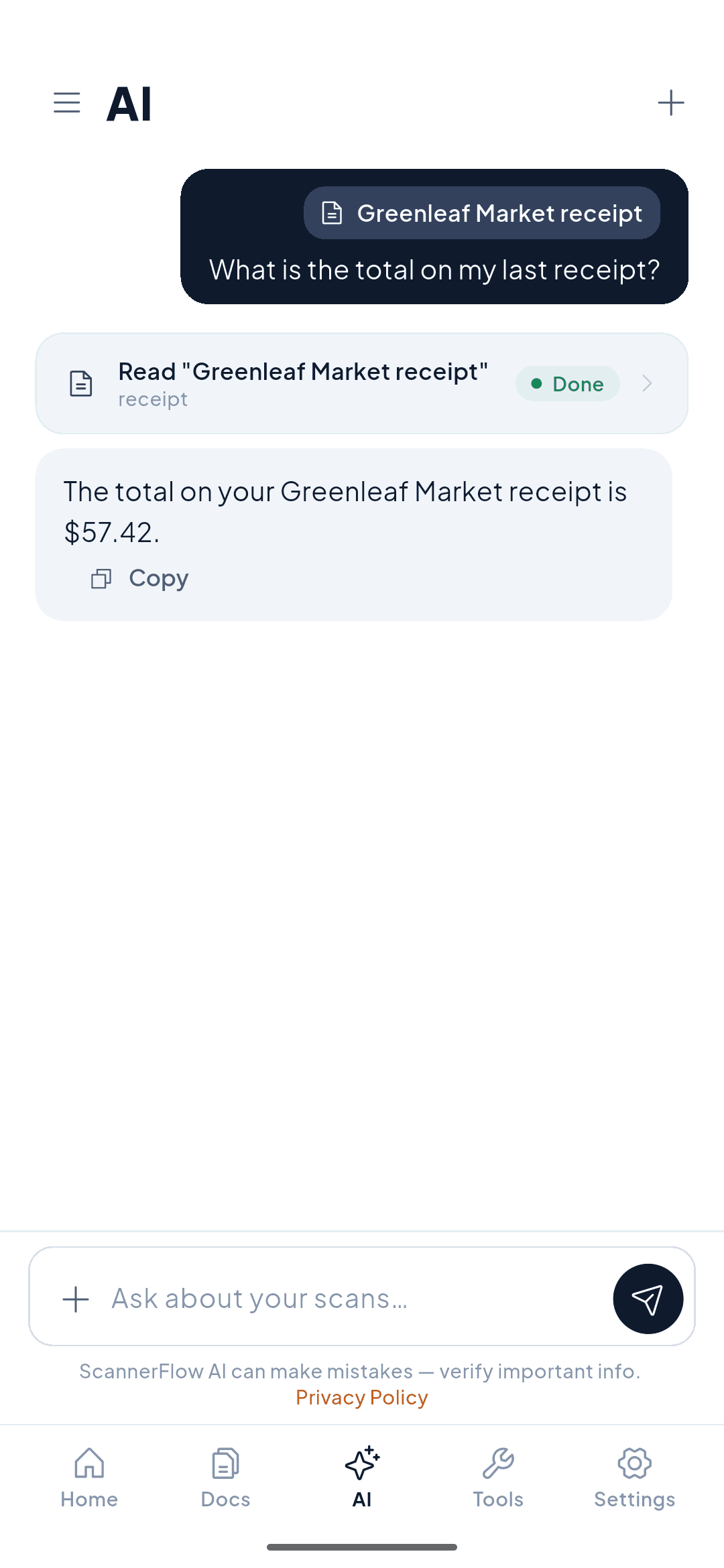
Our security posture
Your documents are yours — not ad inventory
A document scanner sees some of the most sensitive things you own: contracts, IDs, tax forms, medical letters, receipts. ScannerFlow is built around a simple promise — those documents belong to you, not to an ad network. We make money from an optional subscription, so we have no reason to track you or sell what you scan.
Concretely: text recognition (OCR) runs on-device, so your documents’ text is read on your phone rather than uploaded just to be read. Your scans are then stored in encrypted cloud storage on Google Cloud (Firebase) — encrypted in transit and at rest — so they stay backed up and synced across your sessions. And there are no ads or third-party advertising SDKs anywhere in the app.
What makes it secure
Security built into every scan
Four design choices that keep your documents protected.
Encrypted cloud storage
Your scans are stored on Google Cloud (Firebase), encrypted in transit over TLS and at rest with AES-256 — the same infrastructure that secures Google’s own services.
On-device OCR
Text recognition runs locally, so your documents aren't sent to a server just to make them searchable. It also works offline.
No ads, no ad SDKs
ScannerFlow contains no advertising and no third-party ad networks — the most common way scanner apps leak data.
We never sell your data
Funded by subscription, not advertising or data brokering. We don't sell your documents or your personal data, full stop.
An honest comparison
Why people look for a CamScanner alternative
CamScanner is a capable, popular scanner — but it has a documented trust history. In 2019, security researchers reported that a version of its Android app shipped with a malicious advertising module, and the app was temporarily pulled from Google Play. We're not making claims about CamScanner's app today; we simply designed ScannerFlow from day one to avoid the whole category of ad-SDK and data-monetization risk.
ScannerFlow's approach
- No ads and no third-party ad SDKs
- On-device OCR — text read on your phone
- Encrypted cloud storage (in transit & at rest)
- No selling of your data, ever
What to ask any scanner app
- Does it run OCR on-device or upload files to read text?
- Does it contain ads or third-party ad SDKs?
- Is my data encrypted in transit and at rest?
- Does the company sell or share my data?
Comparing scanners? See our CamScanner alternative page for a feature-by-feature breakdown, or how we stack up on scanner app privacy.
Privacy & security FAQ
Is ScannerFlow a secure document scanner?
Yes. Capture and text recognition (OCR) run on your phone. Your scans and their text are then analyzed by our AI service so you can search and chat with them, and stored in encrypted cloud storage (Google Cloud / Firebase) so they stay backed up and synced — encrypted both in transit (TLS) and at rest (AES-256). There are no ads and no third-party ad SDKs, and we never sell your data.
Where are my scanned documents stored?
Your scans are stored in ScannerFlow’s cloud storage, which runs on Google Cloud (Firebase Storage). Files are encrypted in transit over HTTPS/TLS and encrypted at rest with AES-256 using Google-managed keys — the same infrastructure that secures Google’s own products. This keeps your documents backed up and available across sessions and devices.
Does the OCR send my documents to a server?
No — text extraction (OCR) runs entirely on-device, so your documents are not uploaded to a server just to read their text, and OCR works with no internet connection. Your scans are separately backed up to encrypted cloud storage so you don’t lose them.
Is my data encrypted?
Yes. Documents in ScannerFlow’s cloud storage are encrypted in transit (HTTPS/TLS) and at rest (AES-256, Google-managed keys) through Google Cloud / Firebase. On-device OCR also means the contents of your documents are read locally rather than sent out for text recognition.
Does ScannerFlow show ads or sell my data?
No ads, ever, and no third-party ad SDKs. We do not sell your personal data or your documents. ScannerFlow is funded by an optional subscription, not by advertising or data brokering.
How is this different from CamScanner’s trust history?
CamScanner has faced documented trust concerns — most notably in 2019 when security researchers reported a malicious advertising module bundled in a version of its Android app, which led to a temporary removal from Google Play. ScannerFlow takes a deliberately different posture: no ads, no third-party ad SDKs, on-device OCR, encrypted cloud storage, and no selling of your data. We are not making accusations about CamScanner today — we simply built ScannerFlow to avoid that category of risk.
Is ScannerFlow free?
ScannerFlow is free to download and free to try. Multi-page scanning is free; the free plan allows 3 scans and 3 text extractions a day and watermarks exports, and Premium lifts those caps. There is no “free unlimited” tier — the app is free to try, then subscription-based for premium features.
Scan it. Keep it secure.
Download ScannerFlow and scan your most sensitive documents with on-device OCR, encrypted cloud storage, and no ads. Free to try on Android.
Prefer a direct link? Get it on Google Play