How to scan and translate a document on Android
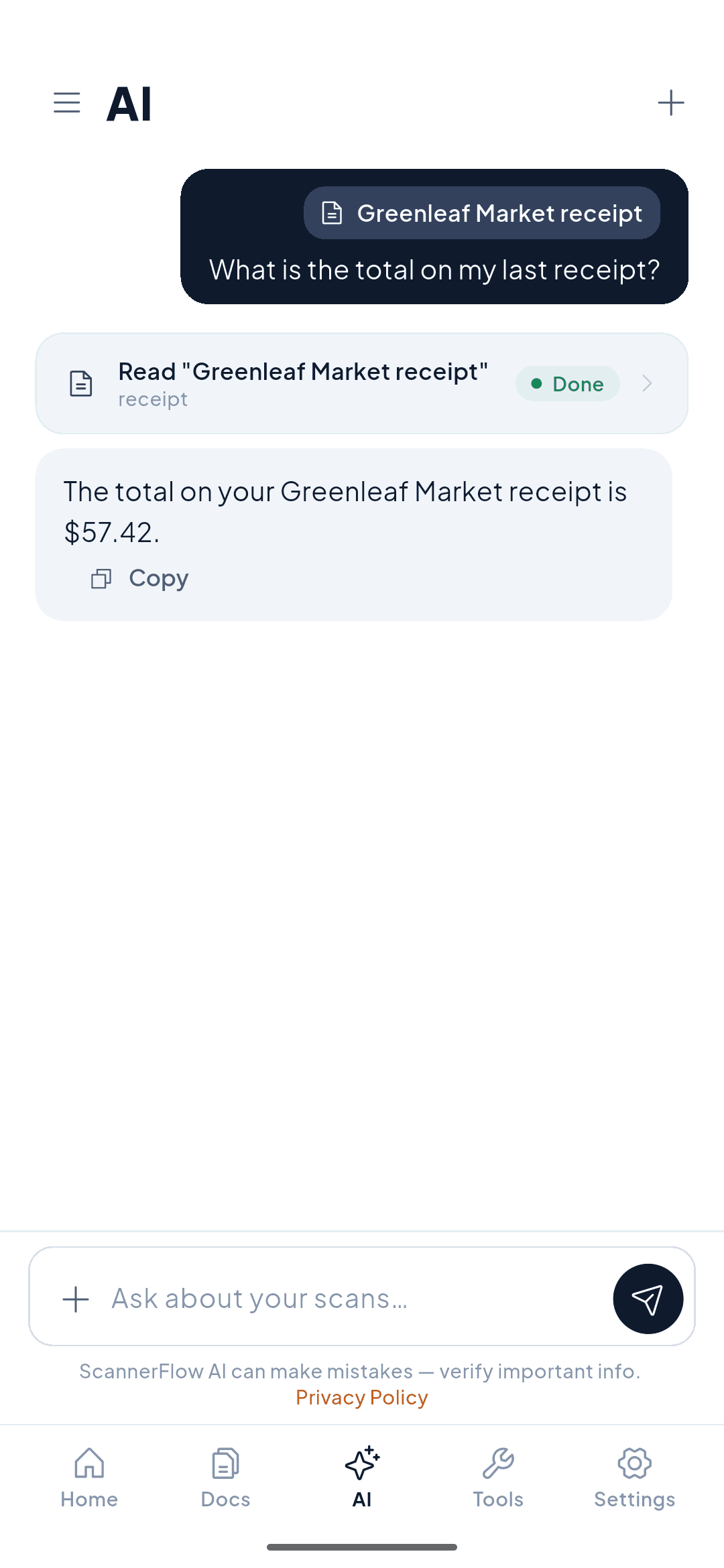
Scan the page, then translate in the AI tab: attach the scan and type “translate this to English” — works for a menu, a form or a letter. Read it in your language in seconds, then ask what any part means.
Free to download · Android · Free to try
What it does
Turn foreign-language paper into something you understand
A menu you can't read, a form you have to fill out, a letter in a language you don't speak — ScannerFlow scans the page and translates the text for you, then lets you ask questions about it.
Translate what you scan
ScannerFlow reads the text off your scan and gives you the translation right in the chat.
Then ask about it
Follow up with questions — “what does this section mean?” or “summarize it” — from the same scan.
Keep the result
Copy the translation to paste into a message, or keep the scan for later reference.
How it works
Scan and translate in three steps
- 1
Scan the page
Capture the menu, form, or letter with your phone camera. Edges are detected and the text is sharpened automatically.
- 2
Ask for a translation
Translate in the AI tab: attach the scan and type “translate this to English” — or whatever language you need. A quick menu or sign works the same way.
- 3
Read it instantly
Get the translation in seconds. Ask a follow-up question if anything is still unclear.
Why ScannerFlow
More than a translator
Translate then explore
Don’t just translate — ask questions, get a summary, or pull out details from the same scan.
Built for the moment
Scan and translate on your phone, on the spot — at a restaurant, an airport, or a government office.
Full pages, not just words
Capture a whole page or a multi-page document and translate the content, not just a single line.
What leaves your phone
Documents are backed up to encrypted cloud storage — encrypted in transit and at rest — and OCR runs on-device. To translate, the text (or image) is sent to our AI provider, OpenAI. No ads, and we never sell your data.
Real use cases
When you need it most
Travel
Read menus, signs, tickets, and museum labels in a country whose language you don’t speak.
Paperwork abroad
Understand a form, contract, or official letter before you sign or reply to it.
Study & research
Translate a foreign-language article or source, then ask the AI to summarize or explain it.
Everyday life
Read product labels, instructions, or a letter from a relative in another language.
Start here
- ScannerFlow for Android
Scan, extract text, sign, convert and ask AI — one tap per job.
- AI document scanner
Scan a page, then ask AI to summarize, translate or find a detail.
- ID scanner to PDF
Front and back of an ID card on one A4 page, ready to send.
Frequently asked questions
How do I scan and translate a document?
Scan the page (Home → Scan a document), then translate in the AI tab: attach the scan and type “translate this to English” — the translation appears in the chat and you can ask follow-ups. It works for a menu, a sign, a form or a letter.
What can I translate?
Anything you can scan: restaurant menus, official forms, letters, signs, product labels, instructions, or pages of a document in another language.
Can I ask questions about the translated text?
Yes. After translating, you can keep the conversation going — ask what a section means, get a summary, or pull out a specific detail, all from the same scan.
Is scan and translate free?
ScannerFlow is free to download, with 3 free scans and 10 free AI messages a day, so translating via the AI tab costs nothing to try. Translations are produced by our AI provider, OpenAI.
Get ScannerFlow
Any language, any document.
Download ScannerFlow, scan a page in any language, and read it in yours.
Free to download · Android · Free to try
Part of ScannerFlow’s AI document scanner. See also chat with PDF and summarize documents.